Set up StoreFix (2 minutes)
When you first open StoreFix, a four-step setup guides you:
Terms & privacy
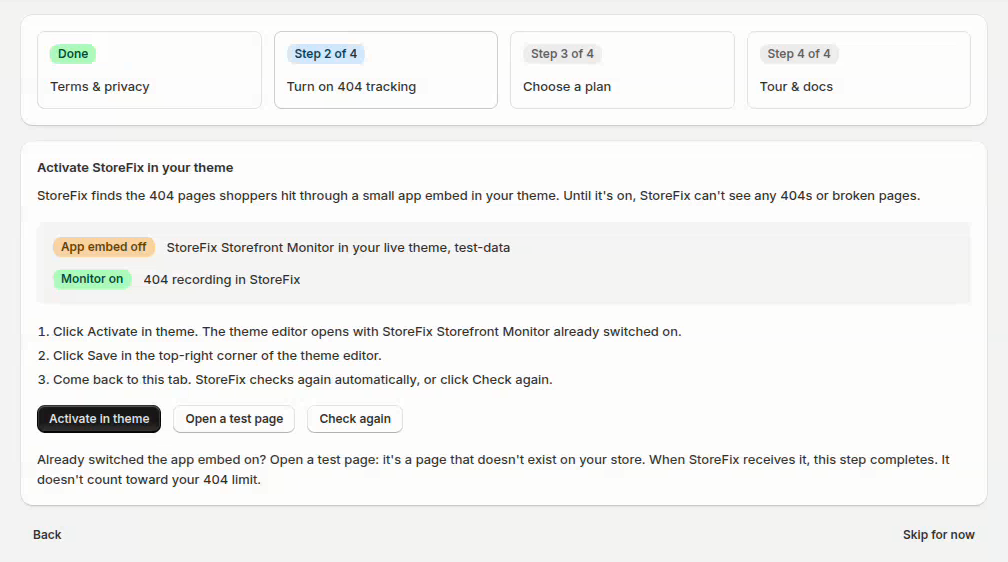
Review what StoreFix does with your store, then tick the box and click Accept and continue.
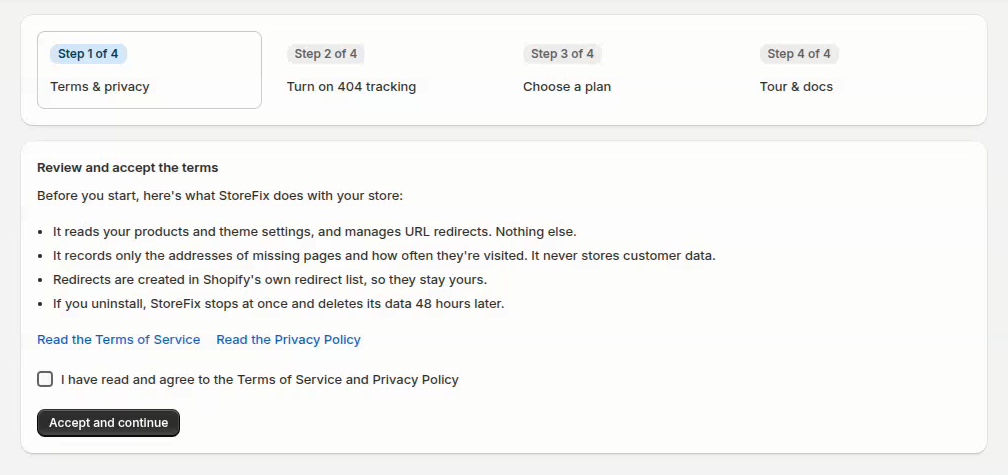
Turn on 404 tracking
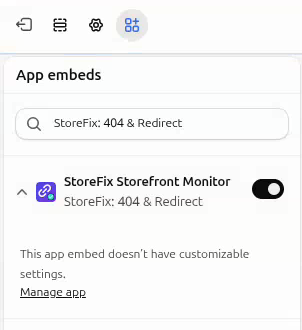
Click Activate in theme. The theme editor opens with StoreFix Storefront Monitor already switched on under App embeds. Click Save, then come back to StoreFix. It checks again automatically, or click Check again.
Choose a plan
Continue with Free, or start a paid plan with a free trial. The plans and what each includes are under Plans and billing.
Tour & docs
A guided tour of StoreFix, one stop per page: Home, Redirects, Wildcard Redirect, Search Console, Settings, Pricing, Support and Sidekick. Each stop says what the page is for, what you can do there and a tip. Use Next and Previous, or click any stop in the list to jump to it.
Open takes you to that page so you can try it. A You're on the StoreFix tour banner at the top of the page brings you back to the same stop with Back to the tour, or ends the tour with End tour. After the last stop you'll find the walkthrough video and a link to this guide, then Finish setup. You can also skip the tour.
You can skip steps 2–4 and finish them later from the dashboard. Until 404 tracking is on, the dashboard reminds you, because StoreFix can't see any 404s without it. To switch the embed on by hand: Online Store → Themes → Customize → App embeds.
Home
Whether 404 tracking is on, a Get started checklist, this period's new and fixed 404s with your plan's quota, your store health score (0–100: 80+ healthy, 50–79 needs attention, below 50 critical), the latest site scan and the 404s shoppers hit most. Buttons under each card open the next step: View the full report, View store health, View broken links, Scan history and View all 404s. Each 404 in the list has its own Fix button.
Redirects: fix 404 errors
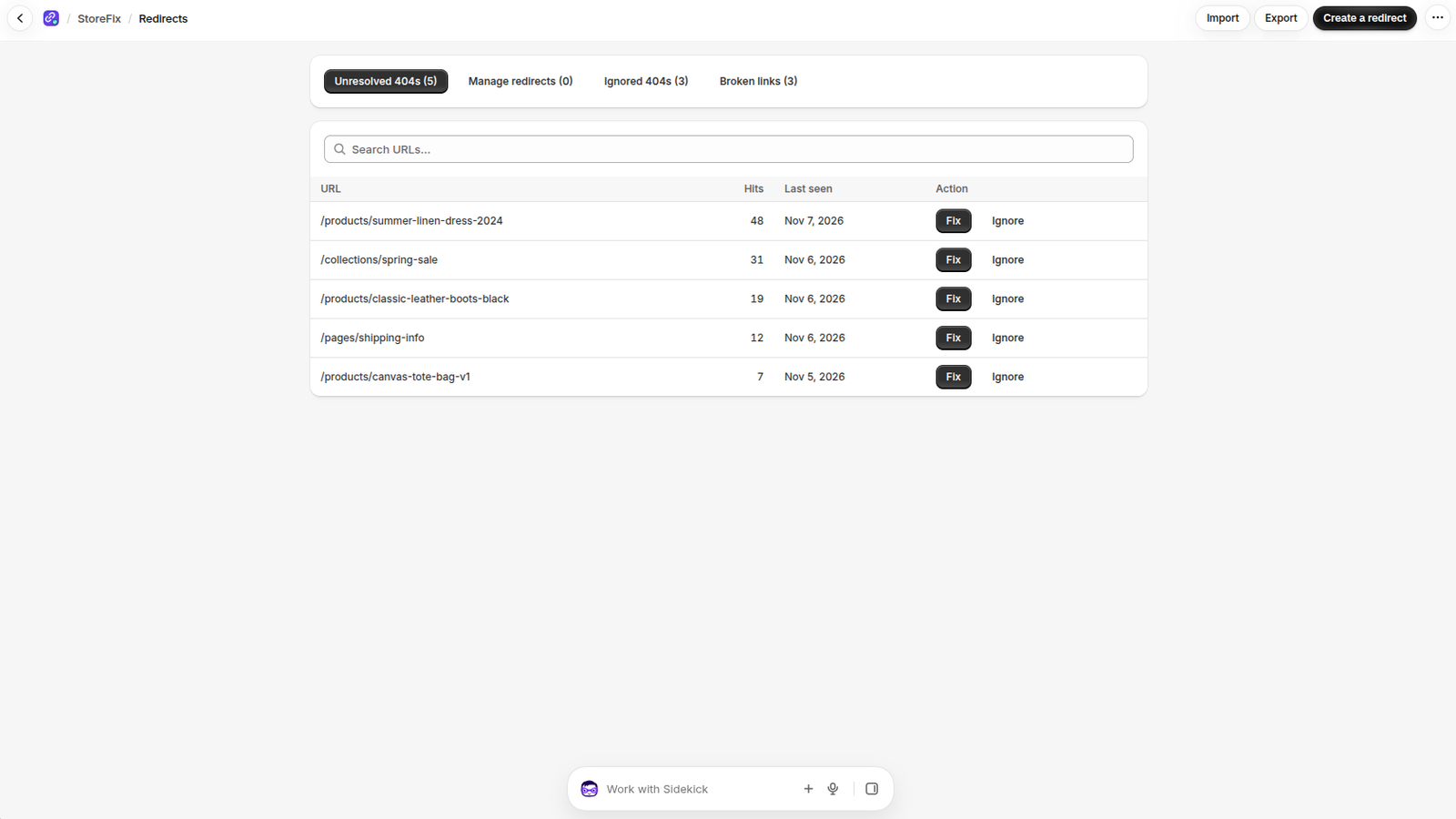
- Redirects → Unresolved 404s lists every missing page shoppers reached, sorted by visits.
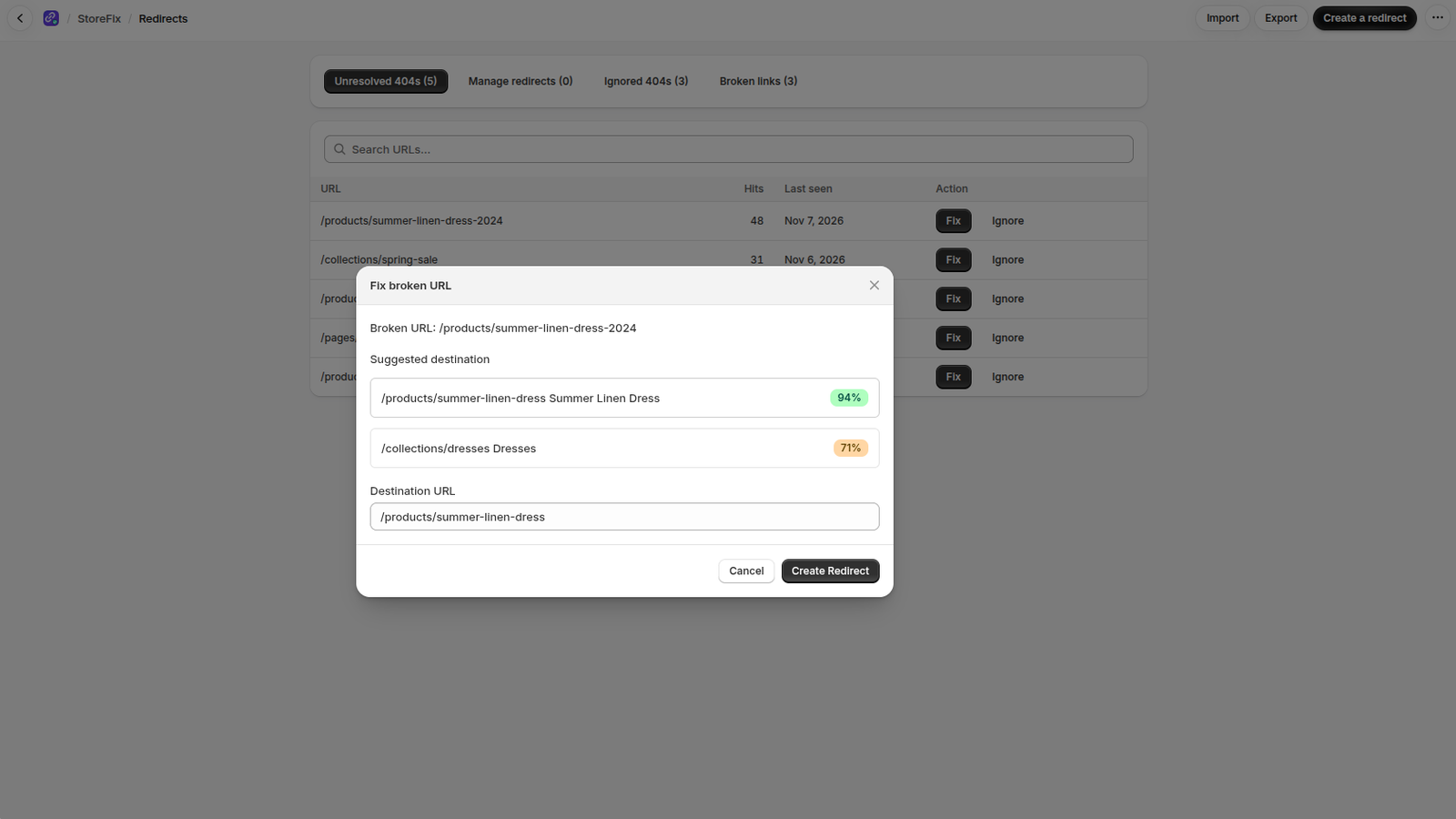
- Fix shows suggested destinations (the products, collections, pages and blog posts that best match the old address, with their type and a confidence score). Pick one, or type any address, and click Create Redirect. StoreFix creates a 301 redirect in Shopify and marks the 404 resolved.
- Automatic redirects (every plan, Free up to 10 a month; off by default): turn them on in Settings → Automation and StoreFix redirects a new 404 by itself when its top suggestion is at least as confident as you choose (80–95%) and clearly better than the next one. They show as Automatic under Manage redirects, where you can delete any you don't want.
- AI suggestions (every plan, using AI credits): StoreFix uses your credits on the 404s shoppers hit most, and the AI's pick is marked AI in the Fix dialog.
- Ignore moves a 404 to Ignored 404s. Restore brings it back.
Broken links
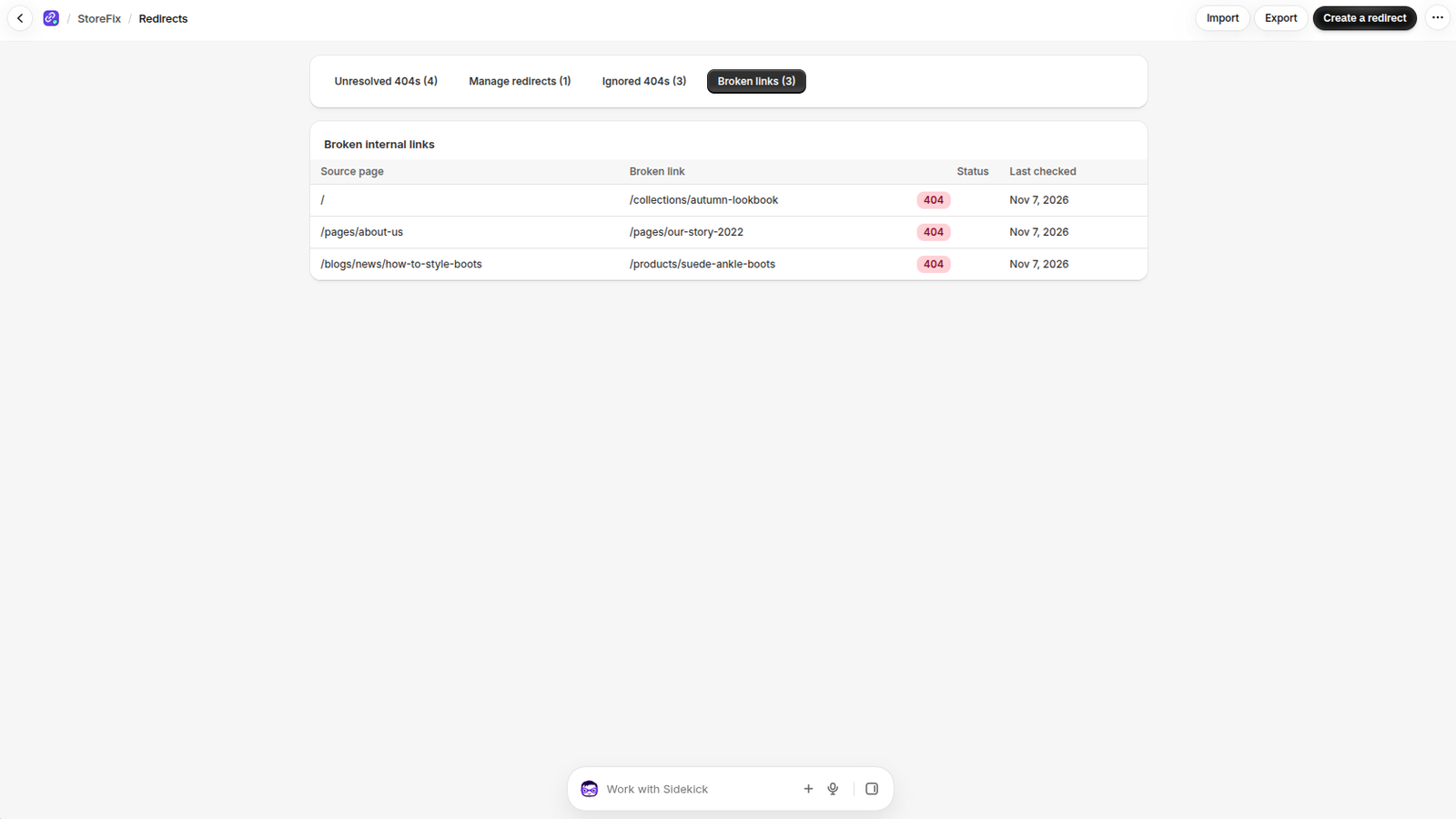
Redirects → Broken links: links on your own pages that point to missing pages, found by the site scan. Edit the page in Shopify to fix the link, or create a redirect for the missing address.
Manage, import and export redirects
- Create a redirect: enter the old path (
/products/old-shoe) and the new one (/products/new-shoe). - Import a CSV with two columns, old path and new path (Shopify's own redirect export works as is), and Export all redirects as CSV. Import works on every plan, export on Regular and up.
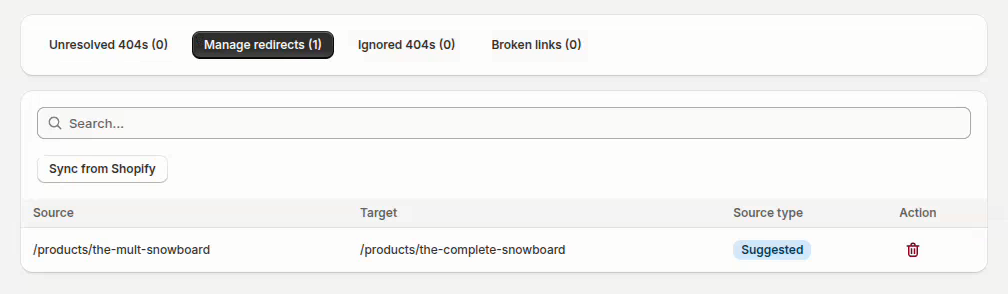
- Sync from Shopify imports redirects made in Shopify or by other apps.
- Redirect problems (Regular and up): a chain (A → B → C) should point A straight at C; a loop (A → B → A) means visitors never reach a page, so fix loops first.
StoreFix won't create a redirect that points to itself, duplicates an existing one, or creates a loop.
Wildcard Redirect
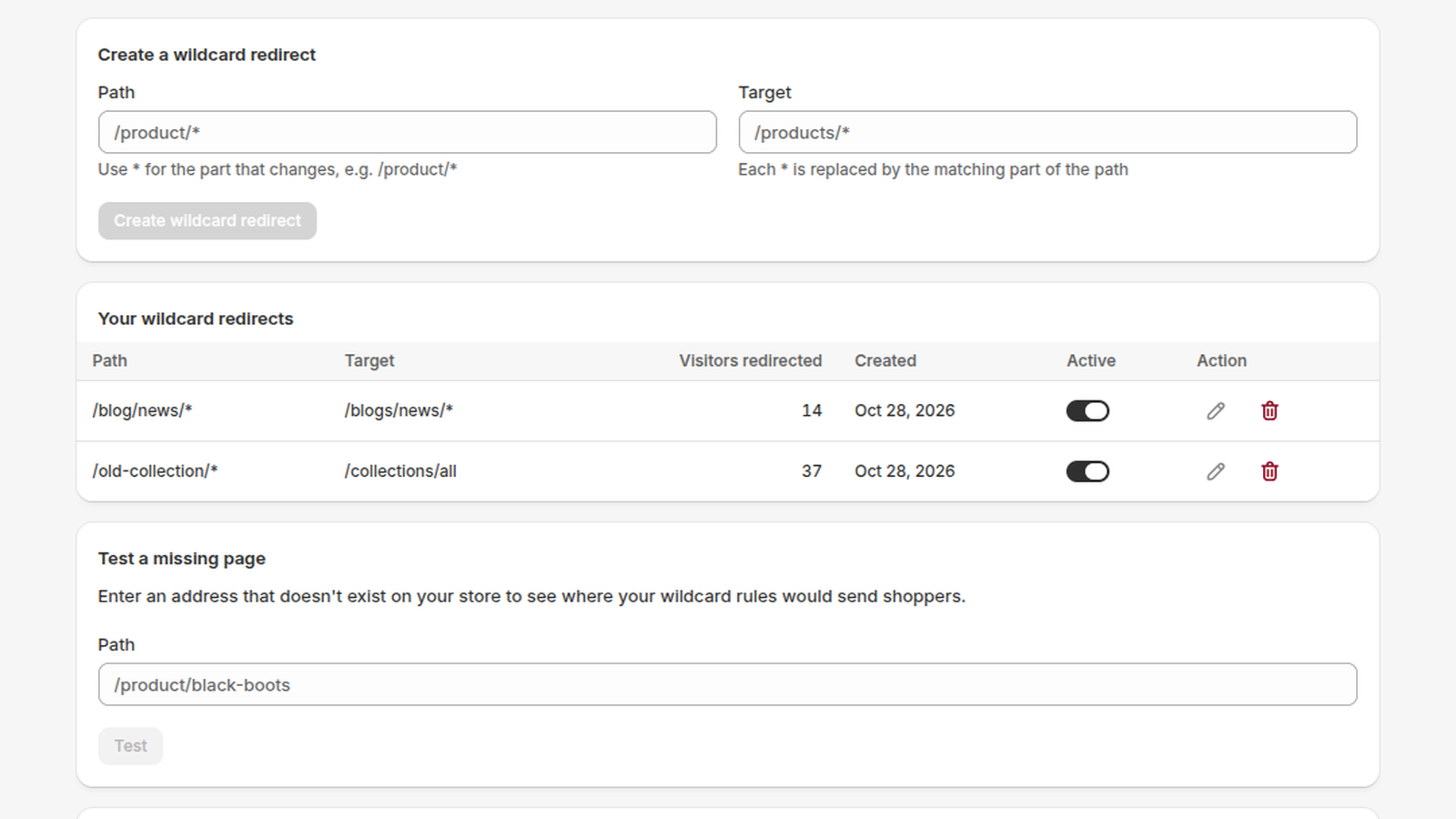
Fix a whole group of missing pages with one rule. * in the path matches any text, and * in the target is replaced by that text: /product/* → /products/* sends /product/black-boots to /products/black-boots. /* → / catches every other missing page. Regular includes 10 rules, Pro+ and Business unlimited (the Free plan has none). The most specific rule wins, Shopify's own redirects are applied first, and each rule shows how many visitors it redirected. Needs 404 tracking on. Rules can also run only between two dates, and on Pro+ and Business use a regular expression, apply only to certain countries (codes such as US, CA), or redirect pages that still exist (these run in the shopper's browser, so the old page can show for a moment).
Scans
Scan Store checks every page in your sitemap plus the pages linked from them (up to 500 addresses on Free, 2,000 on Regular, 10,000 on Pro+, 25,000 on Business), and checks products for missing SEO titles, descriptions, images and ALT text. You can cancel a running scan. Regular stores are scanned automatically every week, Pro+ and Business every day. Scans lists your last 3 scans with the pages checked and the broken links and SEO issues found, and what broke or got fixed since the previous scan. On Regular and up, scans also check links to other websites; they're marked External and don't affect your health score.
Store health
The top of the page shows everything at a glance: your score as a ring, the estimated sales lost to 404s in the last 30 days, your plan's 404 quota and AI credits, and three cards for what to fix first (unresolved 404s with the most visited one, broken links from the last scan, and redirect chains and loops), each with a button to fix them. Storefront monitor shows whether 404s are being recorded, Health score over time charts your score and how much it changed in the last 30 days, and Overview sums up the last 30 days: new 404s, 404s fixed, open 404s and AI suggestions. Fix 404s and Scan Store sit at the top of the page.
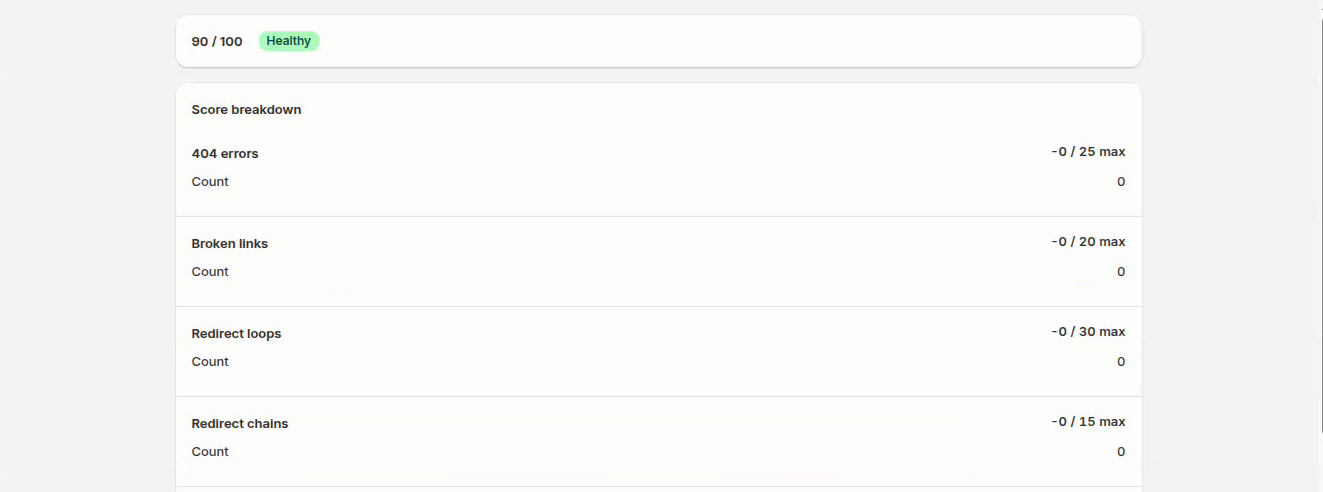
Your score (0–100: 80+ healthy, 50–79 needs attention, below 50 critical) starts at 100 and loses points for each type of problem, with each type capped so one category can't zero the score. The Score breakdown shows how many of each problem you have and the points they cost, and History lists every score.
Check products now checks every product for SEO and catalog issues and shows:
- Products with issues: how many products need attention, with Check again to re-run the check after your changes.
- Issue totals: one badge per issue type with how many products have it, so you see what to fix store-wide.
- One row per product: title and address, each issue as a badge and an Edit in Shopify button that opens the product in your admin. Red badges (missing SEO title, missing meta description, duplicate handle) hurt search results directly, so fix those first; yellow ones (missing description, image, ALT text, vendor or product type) next. Products with the most issues come first.
Reports and email
What changed in the last 24 hours, 7 days or 30 days: new 404s and their visits, new broken links, redirects created, 404s resolved, scans run and your health score change. The issues still open (404s, broken links, redirect loops and chains) each have a button to fix them, and Fix next to a new 404 opens its fix dialog. Under Settings → Notification you can also get a daily or weekly email when there are new 404s.
Settings
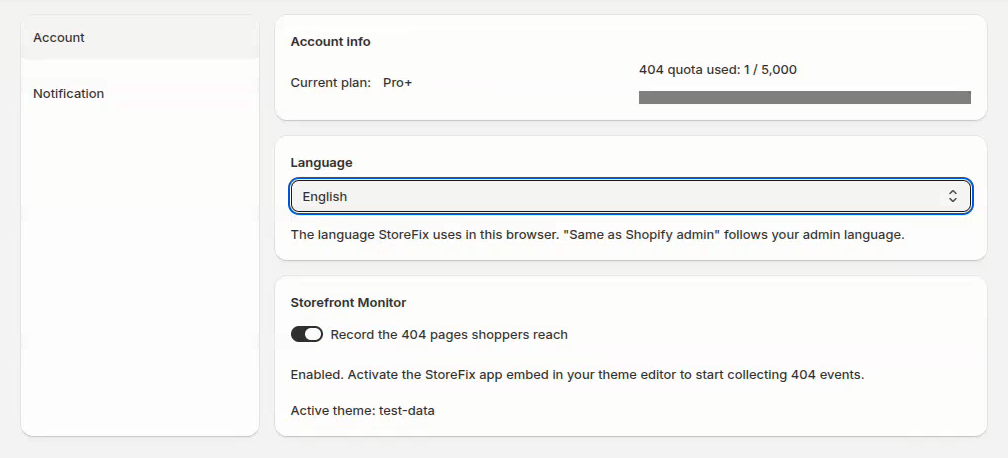
- Account: your current plan and how much of its 404 quota is used, with Upgrade to move to a bigger plan. Storefront Monitor turns recording of the 404 pages shoppers reach on or off; it also needs the StoreFix app embed on in your theme. Language picks the language StoreFix uses for this store in this browser (each store keeps its own); "Same as Shopify admin" follows your admin language.
- Automation: automatic redirects and their minimum confidence (Free: 10 a month), AI credits (1 credit = 1 AI suggestion; every plan includes some each month, and you can buy more under Pricing), the smarter 404 page (Pro+, Business: suggested pages and your store search on the 404 page), plus your conversion rate and average order value for the Estimated lost sales on Home (find both in Shopify Analytics).
- Notification: get a daily or weekly email with new 404s and the most visited ones. It's only sent when there are new 404s. On Regular and up you can also get an instant alert: an email within the hour when shoppers hit new 404s.
Using Sidekick
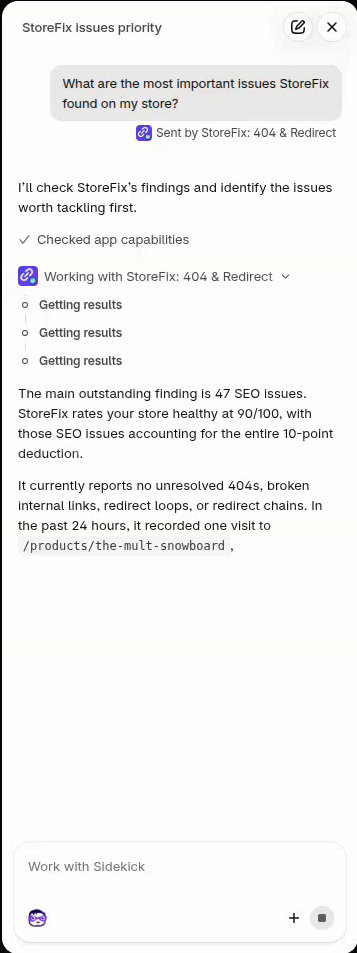
If Sidekick is available on your store, ask it things like "Show me today's StoreFix report", "Which 404s are hurting my store most?" or "Are there redirect loops?". Sidekick answers from your StoreFix data and links to the right page. It only reads data; you make every change in StoreFix.
Google Search Console (Business)
- Open Search Console in the app menu and click Connect Google Search Console. Google opens in a new tab: sign in with the account that manages your store in Search Console and allow read-only access. Back in StoreFix, click Refresh.
- StoreFix picks the property that matches your store's domain (you can change it) and imports every page that earned Google clicks in the last 16 months. It checks each one and lists the pages that are gone, with the Google clicks they're losing.
- Those pages also appear in your 404 list with suggestions, so you can Fix them or let automatic redirects handle them. The import repeats every week; Import now runs it on demand.
- Disconnect removes StoreFix's access to your Google account. Pages already found stay in your 404 list.
Support tickets
- Open Support in the app menu (or Open a support ticket on Home), enter a subject, describe the issue and the email we should reply to, then click Send ticket.
- Our team gets your ticket by email straight away, with your store and plan, so you don't have to explain your setup. We usually reply within one business day.
- Your tickets lists every ticket you've opened and its status: Open, In progress or Closed.
Plans and billing
| Free | Regular | Pro+ | Business | |
|---|---|---|---|---|
| Price | Free | $4.99/month or $54.89/year | $9.99/month or $99.90/year | $24.99/month or $224.91/year |
| Free trial | – | 7 days | 7 days | 7 days |
| New 404s tracked | 10 | 1,000 | 5,000 | Unlimited |
| 301 redirects | 50 | Unlimited | Unlimited | Unlimited |
| Wildcard redirects | – | 10 | Unlimited | Unlimited |
| Manual scans per month | 1 | 20 | Unlimited | Unlimited |
| Pages checked per scan | 500 | 2,000 | 10,000 | 25,000 |
| Automatic site scan | – | Weekly | Daily | Daily |
| Automatic redirects | 10 a month | ✓ | ✓ | ✓ |
| AI credits (1 = 1 AI suggestion) | 2 a month | 10 a month | 100 a month | 500 a month |
| Regex, country and live-page rules | – | – | ✓ | ✓ |
| Smarter 404 page | – | – | ✓ | ✓ |
| Search Console import | – | – | – | ✓ |
| Rule visit counts | – | ✓ | ✓ | ✓ |
| External link checking | – | ✓ | ✓ | ✓ |
| Instant 404 alerts | – | ✓ | ✓ | ✓ |
| Redirect chain & loop detection | – | ✓ | ✓ | ✓ |
| CSV import | ✓ | ✓ | ✓ | ✓ |
| CSV export | – | ✓ | ✓ | ✓ |
| Suggestions ready for every new 404 | – | – | ✓ | ✓ |
| Health history | 7 days | 90 days | 180 days | 365 days |
Charges appear on your Shopify bill; there are no usage charges. Change or cancel your plan any time under Pricing, or with Upgrade next to your plan in Settings. When the Free plan's 404 quota is used up, StoreFix keeps counting the 404s it couldn't record and shows how many on Home.
AI credits: 1 credit = 1 AI suggestion. Every plan includes credits each month (they reset on the 1st). Need more? Buy a pack under Pricing → AI credits: 100 for $2.99, 500 for $9.99 or 2,000 for $29.99, charged once on your Shopify bill. Bought credits never expire and are used after your monthly ones. A suggestion that fails never uses a credit.
FAQ
No 404s are showing up. Check that 404 tracking is on (the status bar at the top of Home). Then visit a page that doesn't exist on your store to test it.
Does StoreFix slow down my store? No. Its script loads only on 404 pages, is about 2 KB and runs after the page has loaded.
What happens if I uninstall? StoreFix stops immediately and its data is deleted 48 hours later. Redirects you created stay in Shopify.
Need help? Email support@nexocommerce.com.